
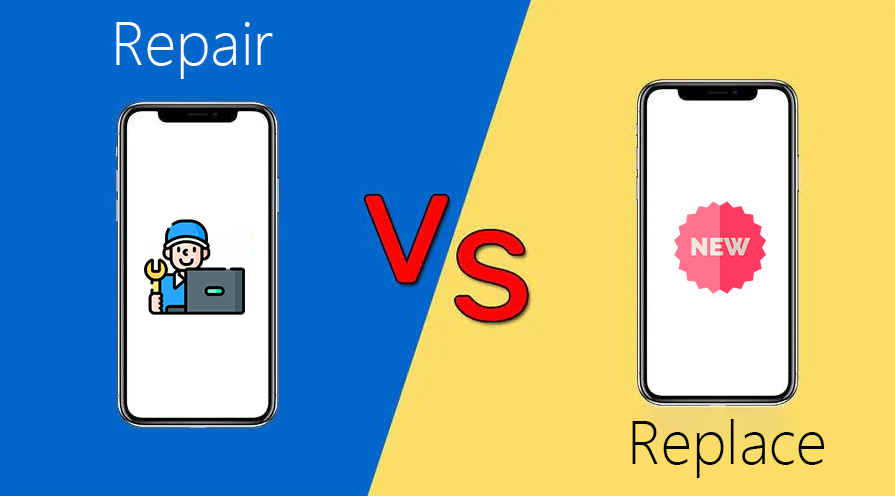
Making the Right Decision for Your Phone: When to Repair vs Replace
This decision isn’t just emotional: it’s financial, practical, and sometimes even environmental. Smartphones have become central to how we work, study, travel, and stay connected. So when something goes wrong a cracked screen, weak battery, or random shutdowns you are suddenly forced into a decision:
should you repair your phone or replace it altogether?
This decision isn’t just emotional: it’s financial, practical, and sometimes even environmental.
Why This Decision Matters
Before diving into specific scenarios, it helps to understand what’s really at stake:
- Cost: Is a repair economically sensible compared to the phone’s current market value and the cost of a new device?
- Lifespan: Will the repair realistically add 1–2+ years of reliable use, or is it only a short‑term patch?
- Performance: Even after repair, will the phone still feel sluggish or outdated for your needs?
- Data & Convenience: Replacing usually means transferring data, setting up apps again, and getting used to a new device.
- Environment: Repairing instead of replacing reduces e‑waste and your environmental footprint.
- The best choice changes from case to case. Let’s break it down.
When Repairing Your Phone Makes Sense
In many common situations, repairing is the smarter, more economical decision.
1. Cracked or Shattered Screen
This is the most common damage. If everything else works fine—touch response, camera, speakers, battery, and performance a screen replacement is often the best option.
Repair is usually the right decision when:
- The phone is less than 2–3 years old.
- The device still meets your performance needs (apps run smoothly, no major lag).
- Only the glass/LCD is damaged, not the main board.
- Repair cost is less than 40–50% of the replacement cost of a similar new phone.
Why repair?
- Much cheaper than a new device.
- Keeps all your apps, settings, and data as they are.
- Prevents minor cracks from escalating into deeper damage (moisture, dust entering).
[/vc_column_text]
3. Charging Port or Button Issues
If your phone:
- Charges only in a specific angle
- Connects/disconnects randomly
- Has a faulty power button or volume keys
- …this is often a repairable hardware issue, not a reason to discard the phone.
Repair is sensible if:
- No other serious issues (screen, board, water damage).
- The model is still supported and parts are available.
- You’re happy with the phone’s performance.
- Small component repairs (charging port, speakers, buttons) are usually low to mid‑cost and can significantly extend the phone’s lifespan.
4. Minor Software Issues or Slowness
Phones often feel “old” because of:
- Software glitches
- Heavy apps
- Full storage
- Outdated OS not properly optimized
Before replacing, try:
Full backup and factory reset.
Uninstalling unused apps and clearing cached data.
Updating to the latest available OS or security patch.
If performance improves noticeably, there’s no need to replace the hardware. In many cases, software cleanup plus a new battery can make a 2–3‑year‑old phone feel almost new again.
When Replacing Your Phone Is the Better Choice
There are situations where repair is just throwing good money after bad, and replacement is the smarter, long‑term decision.
- Severe Motherboard or Multiple Component Damage
Serious internal damage is a clear warning sign this often happens from:
- Major drops (especially on hard surfaces).
- Significant water or liquid ingress.
- Overheating or electrical failures.
If diagnostics show:
- Motherboard/logic board damage, or
- Multiple key components failed (screen + battery + cameras + speaker),
the total repair quote can get very close to the cost of a new or refurbished phone.
As a rule of thumb:
- If the total repair cost is more than 50–60% of buying a new device with similar specs, replacing is usually more sensible.
- If parts availability is poor or unreliable, long‑term stability after repair is uncertain.
- Phone Is Too Oldor Out of Support
Technology moves fast. Even if your old phone could be repaired, it might not be worth it if:
- It’s older than 4–5 years.
- It no longer receives security updates.
- Newer apps don’t run properly or crash frequently.
- Storage is too low (e.g., 32GB) for your current needs.
- Network standards are changing (e.g., wanting 5G when your phone is 4G‑only).
In such cases, investing in repairs might only buy you a few more months of usable life before performance and compatibility become serious problems. Replacing with a modern device gives you:
- Better performance
- Longer future support
- Improved cameras
- Stronger security
- Better battery efficiency
-
Repeated Repairs in a Short Time
If you find yourself at a repair shop every few months, that’s a red flag.
Patterns like:
- Multiple screen breakages
- Battery already replaced once but still unsatisfactory
- New issues popping up after each fix
usually indicate either:
- The phone’s hardware has reached end‑of‑life, or
- Its design makes it inherently fragile for your usage.
In such a case:
- Total up what you’ve already spent on repairs in the last 6–12 months.
- Compare that with the price of a good mid‑range new phone.
- If the numbers are getting close, replacement is the rational choice.
- Your Needs Have Outgrown the Phone
Sometimes nothing is “wrong” with the phone but you have changed:
- You now work or study heavily on your phone.
- You need better camera quality for content creation.
- You multitask between many apps (study, music, navigation, social, work).
- You need more storage or faster performance.
If your phone constantly lags, runs out of storage, or can’t keep up with modern apps, repairing it won’t change its fundamental limits. That’s the point where upgrading not just fixing is the smarter move.
-
Safety & Reliability Concerns
Certain issues fall into the “don’t ignore this” category:
- Battery swelling
- Phone getting extremely hot
- Random shutdowns or reboots under light use
- Device failing basic safety checks
Using such a phone is a risk—for both safety and data loss. While some of these can be fixed (e.g., battery replacement), if paired with other age‑related problems, it might be safer and more practical to replace the device entirely.
A Simple Checklist: Repair or Replace?
Here’s a quick decision framework you can use or present as a graphic later:
Lean Towards Repair If:
- Phone age: Under 3 years
- Issue: Single, clear problem (screen, battery, charging port, buttons)
- Repair cost: Under 40–50% of the price of a similar replacement
- Performance: Still smooth enough for your daily apps and tasks
- Parts: Easily available, with warranty on repair
Lean Towards Replace If:
- Phone age: 4–5+ years
- Issue: Motherboard damage, multiple parts faulty, or severe water damage
- Repair cost: Over 50–60% of a similar new phone
- Performance: Frequently laggy, apps crashing, storage full even after cleanup
- Software: No more security/OS updates available
- History: Multiple repairs already done in last year
Common Myths about Repair vs Replace
Myth 1: “Repair is always a waste of money; better to just buy new.”
Not true. For a relatively new phone with a single issue (like a cracked screen or weak battery), a good repair is often the most cost‑effective option, restores full functionality, and avoids the hassle of setting up a new device.
Myth 2: Once a phone is opened, it will never be the same.
With a professional technician using proper tools, genuine or high‑quality parts, and correct sealing methods, your phone can be restored very close to original condition. The problem is not the act of opening; it’s who opens it and what parts they use.
Myth 3: A new phone is always faster and better.
A brand‑new entry‑level phone can sometimes be slower than your 2–3‑year‑old mid‑range or flagship once repaired. Before replacing, compare real‑world performance, storage, RAM, and features—not just the fact that something is “new.”
How to Make a Smart, Calm Decision
When you’re stuck between repairing and replacing, follow these steps:
- Get a proper diagnosis
Ask for a clear breakdown: which parts are faulty, what each repair costs, and what risks remain.
- Check the current value of your phone
Look up the resale/used price for your exact model. If a repair costs more than ~60% of that, replacing starts to make more sense.
- Think about how long you want to keep it
- If you only need the phone to last 6–12 more months (e.g., waiting for a major upgrade or budget cycle), a repair may be perfect.
- If you want 2–3 more years, check age, update support, and battery health honestly.
- Factor in your usage habits
Heavy gamer, content creator, or business user? You’ll benefit more from newer hardware sooner.
Light user (calls, WhatsApp, browsing, UPI)? A good repair might be all you need.
- Don’t forget data & setup time
Replacing a phone means backing up, restoring, logging into everything again, and sometimes losing app data. For some people, avoiding that hassle alone is a strong reason to repair.
Need fast iPhone/Samsung repair? City Phones offers same-day service.
Book online or visit CBD store.











Leave a Reply