

MacBook repair and replacing MacBook parts- What you need to know in 2026
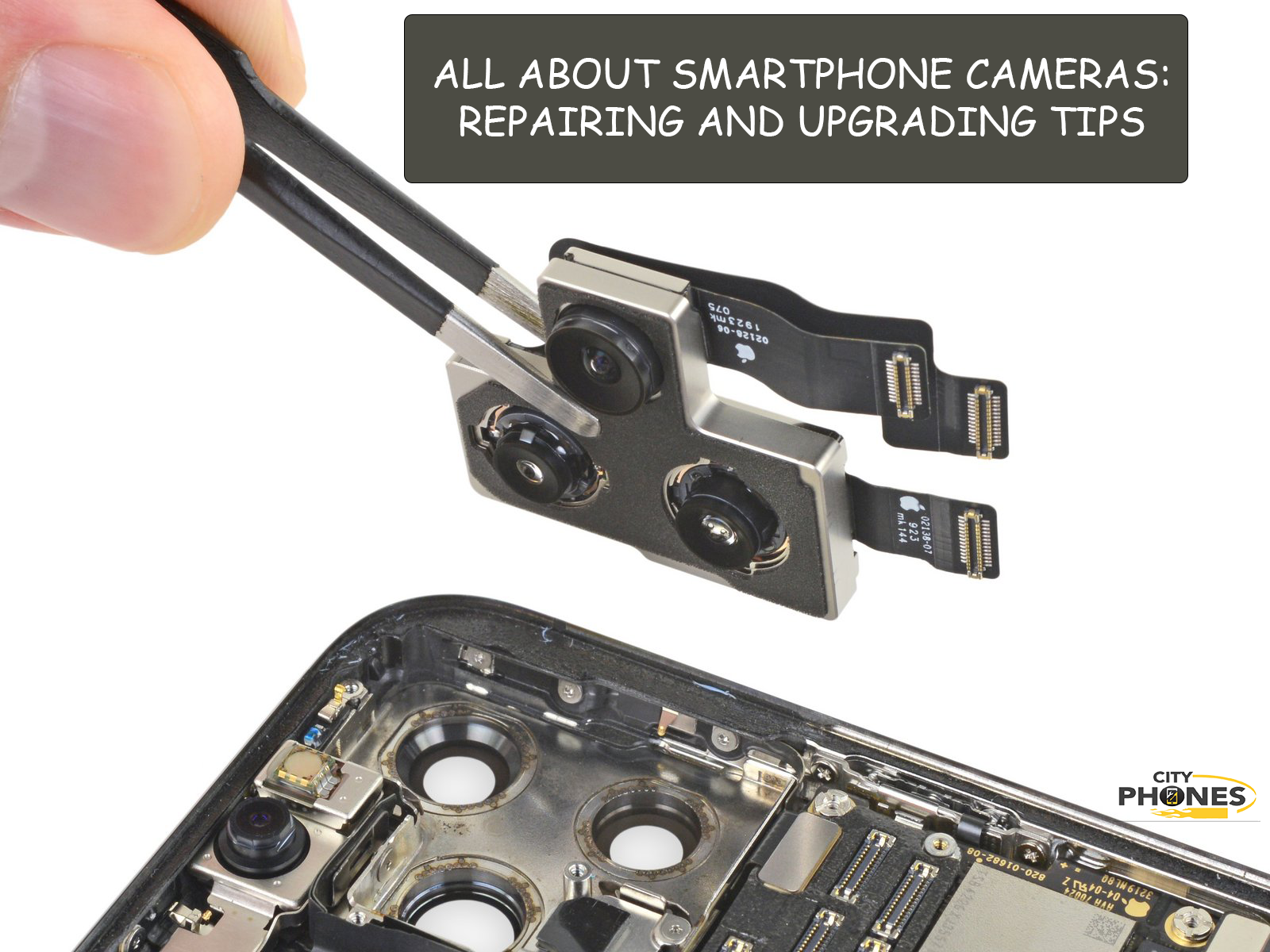
If you want to keep your device in top condition, understanding the basics of smartphone camera repair and maintenance is essential.
MacBooks are renowned for their durability and performance, but even Apple’s premium laptops eventually need repairs or parts replacement. Whether you’re dealing with a cracked screen, dying battery, or malfunctioning keyboard, understanding MacBook repair options in 2026 helps you make informed decisions about fixing versus replacing your device.
How MacBook Repair Has Changed in Recent Years
Apple’s design philosophy has shifted dramatically over the past few years, affecting how MacBooks can be repaired. Modern MacBooks—especially those with Apple Silicon chips (M1, M2, M3, M4) – feature more integrated designs that improve performance and battery life but complicate repairs
Battery
MacBook batteries typically last 3-5 years or 1,000 charge cycles before capacity degrades significantly. Signs you need battery replacement include:
- Battery drains rapidly (less than 2-3 hours on full charge)
- “Service Recommended” or “Replace Soon” message in battery settings
- MacBook shuts down unexpectedly at 20-30% charge
- Swollen battery causing trackpad or keyboard to bulge
Display/Screen
Screen damage is the second most common repair need. Issues include:
- Cracked or shattered glass
- Dead pixels or lines across screen
- Flickering or display artifacts
- Pressure spots from closing laptop on debris
- Damaged display cable causing intermittent issues
Keyboard and Trackpad
MacBook keyboards, especially the controversial butterfly keyboards used from 2015-2019, are prone to failure. Common problems include:
- Stuck or unresponsive keys
- Double-typing keys (one press registers twice)
- Liquid damage from spills
- Trackpad not clicking properly or ghost touches
Charging Ports and USB-C Ports
MacBook ports take daily abuse and can fail over time:
- Loose charging port not holding cable securely
- USB-C ports not recognizing devices
- Intermittent charging issues
- Port corrosion from liquid exposure
Logic Board
The logic board (motherboard) is the most expensive component. Issues include:
- MacBook won’t turn on at all
- Kernel panics and frequent crashes
- GPU failures causing artifacts or no display
- Water damage affecting multiple circuits
Apple Self Service Repair: Is It Worth It?
Apple’s Self Service Repair program sounds appealing but has significant limitations:
What you get:
- Access to genuine Apple parts at reasonable prices
- Repair manuals with step-by-step instructions
- Option to rent tool kits ($49 for 7 days)
- Parts credit when you return old components
The challenges:
- Tool kits weigh 79 pounds and require shipping coordination
- Repairs still require technical skill and precision
- Parts pairing may require contacting Apple support
- Limited to specific MacBook models and repairs
- Some repairs void AppleCare+ coverage
Bottom line: Self Service Repair works for technically skilled users doing common repairs (battery, display) but professional service remains easier and often faster for most people.
DIY Repair Tips and Warnings
If you’re considering DIY MacBook repair:
Start with the basics:
- Check if issue is software-related (reset SMC/NVRAM first)
- Clean out dust and debris (compressed air)
- Update macOS to latest version
- Run Apple Diagnostics (hold D during startup)
For hardware repairs:
- Buy quality tools (precision screwdrivers, spudgers, suction cups)
- Follow iFixit guides specific to your MacBook model
- Take photos during disassembly to remember cable routing
- Organize screws by location (they’re often different sizes)
- Work in static-free environment
Warning signs to stop:
- Stripped screws that won’t come out
- Cables that seem stuck (avoid forcing)
- Parts that don’t fit easily
- Any burning smell or visible damage
When to seek professional help:
- Liquid damage (corrosion requires specialized cleaning)
- Logic board issues (requires diagnostic equipment)
- Micro-soldering repairs (ports, chips)
- Any repair where you feel uncertain
Choosing a Repair Service
If professional repair is needed, you have options:
Apple Authorized Service Providers:
- Use genuine Apple parts
- Maintain warranty coverage
- Higher prices but guaranteed quality
- May take longer (parts must be ordered)
Independent Repair Shops:
- Often faster turnaround
- Competitive pricing
- Variable part quality (ask what they use)
- May void AppleCare+ if you have it
Mail-in Repair Services:
- Convenient for areas without local options
- Research reputation carefully
- Ensure proper shipping insurance
- Typical turnaround: 5-7 days
Questions to ask any repair shop:
- What quality parts do you use?
- What warranty do you provide on repairs?
- How long will the repair take?
- Will this affect my AppleCare+ coverage?
Preventive Maintenance to Avoid Repairs
The best repair is the one you don’t need:
Protect your MacBook:
- Use protective sleeve or case when transporting
- Keep liquids away from your workspace
- Clean keyboard and ports regularly
- Don’t close lid with items on keyboard
Optimize performance:
- Keep macOS and apps updated
- Free up storage space (maintain 15-20% free)
- Monitor Activity Monitor for resource-hogging apps
- Run periodic disk utility checks
Battery care:
- Avoid extreme temperatures
- Don’t leave plugged in 24/7 (battery health suffers)
- Use Optimized Battery Charging feature
Calibrate battery occasionally (full charge, full discharge)
Conclusion: Making Smart MacBook Repair Decisions
MacBook repairs in 2026 require careful consideration of parts quality, repair complexity, and cost-effectiveness. While Apple’s Self Service Repair program provides access to genuine parts, most users still benefit from professional repair services for complex issues.
Before committing to expensive repairs, evaluate your MacBook’s age, condition, and remaining useful life. Sometimes upgrading to a newer model makes more financial sense than repairing an aging device. For newer MacBooks with isolated issues, quality repairs can extend lifespan by years while costing a fraction of replacement.
Whether you choose DIY, Apple service, or independent repair, understanding your options ensures you make the best decision for your needs and budget.
Need professional MacBook or laptop repair? CityPhones offers expert repair services with quality parts and fast turnaround. Contact us for a free diagnosis and quote.






Leave a Reply