
IPad Touch Screen Not Responding? Causes, Fixes & Repair Options in Melbourne
You might tap an app without anything happening, struggle to type, notice parts of the screen are not responding, or see the screen opening apps and selecting things without you touching it. These problems can make your IPad frustrating to use.
An unresponsive IPad touchscreen does not always mean you need a complete screen replacement. Sometimes the problem is related to software, a screen protector, an external accessory or a temporary system issue. In other situations, damaged touchscreen components may require professional repair.
At CityPhones, we help customers with IPad screen and other IPad repair requirements across Melbourne. In this guide, we explain the common reasons an IPad touchscreen stops working, what you can try at home and when professional IPad screen repair may be necessary.
What Are the Signs of an IPad Touchscreen Problem?
Touchscreen problems can appear in different ways. Some users experience complete touch failure, while others notice only occasional issues.
Here are some common warning signs:
- Touchscreen not responding: You touch the display, but nothing happens.
- Partial touchscreen failure: Some areas respond normally, while other sections do not register touches.
- Ghost touch: Your IPad opens applications, selects options or types characters without any physical input.
- Delayed touch response: You need to tap several times before the IPad responds.
- Screen freezing: The display remains visible, but you cannot navigate through applications or menus.
- Touchscreen problems after a drop: Your IPad may look normal, but its touch functionality becomes unreliable after an impact.
- Apple Pencil or touch interaction problems: Some touch-related functions may not behave as expected, requiring further diagnosis.
Identifying these symptoms can help narrow down the possible cause of the problem.
Why Is Your IPad Touch Screen Not Working?
Several hardware and software issues can affect touchscreen functionality. Understanding the possible causes can help you decide what to check first.
- Cracked or Damaged IPad Screen
One of the most common reasons for touchscreen problems is physical screen damage.
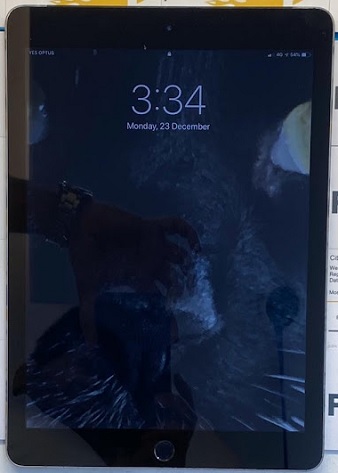
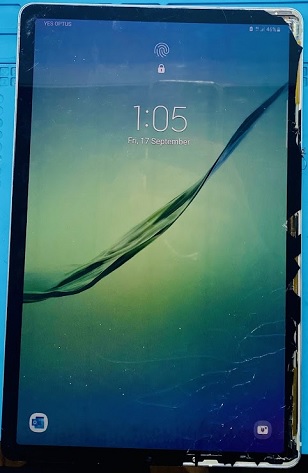
Even when the display still shows images correctly, an impact can damage the touch-sensing components. You might notice cracks, unresponsive areas, lines on the display or touch sensitivity problems.
In some cases, the glass may be cracked while the display continues to work. However, the touchscreen may become unreliable if the damage affects the touch components.
A professional inspection can determine whether the glass, digitizer or complete display assembly needs attention.
- IPad Ghost Touch Problem
Have you noticed your IPad opening applications or selecting items without you touching the screen?
This is commonly known as ghost touch.
It can occur because of damaged touchscreen components, moisture, pressure on the display, unsuitable screen protectors or other hardware and software problems.
Try removing the case and screen protector temporarily and cleaning the display with a soft, lint-free cloth.
If ghost touches continue, the device may need a professional inspection.
- Software Glitches or an IPadOS Issue
Sometimes the screen hardware is perfectly fine, but the IPad software becomes temporarily unresponsive.
An application may freeze, background processes may cause problems, or the operating system may stop responding properly.
Restarting your IPad can help resolve temporary software-related issues.
If the problem continues after restarting, check whether an IPadOS update is available once the touchscreen is working again.
- Faulty or Incompatible Screen Protector
A poorly fitted or damaged screen protector can sometimes interfere with touch interaction.
A thick protector, trapped dust, air bubbles or damaged edges may affect how the screen responds.
Remove the screen protector temporarily and test the touchscreen again. If touch functionality improves, replacing the protector may resolve the issue.
- Moisture or Liquid Exposure
Moisture on the screen or liquid exposure inside the device can affect touchscreen functionality.
You may notice intermittent touch response, unexpected selections or a completely unresponsive screen.
If your IPad has been exposed to liquid, disconnect charging accessories if safe to do so and arrange a professional inspection. Avoid applying heat or attempting to open the device yourself.
- Internal Hardware or Display Connection Problems
An IPad contains delicate internal components that allow its display and touchscreen to function correctly.
A drop, impact or previous repair may affect internal connections or touchscreen components.
If the problem started after physical damage or a previous repair, a technician may need to inspect the display assembly and internal connections.
How to Fix an IPad Touch Screen That Is Not Responding
Before arranging a repair, there are a few basic troubleshooting steps worth trying.
Step 1: Clean the IPad Screen
Turn off the display if possible and gently clean it using a soft, lint-free cloth.
Make sure the screen and your fingers are dry. Avoid spraying cleaning products directly onto the display.
Step 2: Remove the Case and Screen Protector
Remove the protective case and screen protector temporarily.
Check whether the screen responds normally without them. This can help identify whether external pressure or an unsuitable protector is causing the issue.
Step 3: Disconnect Charging and Other Accessories
Disconnect USB-C or Lightning accessories, including charging cables and other connected devices.
Test the touchscreen without accessories connected. If the problem happens only while charging, try a different compatible cable, power adapter or outlet.
Step 4: Restart Your IPad
A restart can resolve temporary software problems.
If your touchscreen is working, use the normal restart option through the IPad settings or power controls.
If your IPad is frozen, you may need to perform a force restart.
For IPads without a Home button:
- Quickly press and release the volume button closest to the top button.
- Quickly press and release the other volume button.
- Press and hold the top button until the Apple logo appears.
For IPads with a Home button:
- Press and hold the Home button and the top button together.
- Keep holding them until the Apple logo appears.
These restart procedures vary according to the IPad model.
Step 5: Check for an IPadOS Update
If the touchscreen becomes responsive again, check for available software updates.
Go to:
Settings → General → Software Update.
Install an available update if appropriate and follow the on-screen instructions.
If none of these steps resolves the issue, the problem may be hardware-related and require further diagnosis.
IPad Digitizer vs LCD: What Is the Difference?
Understanding the difference between the digitizer and display can help explain why your IPad may show images correctly but fail to register touches.
Digitizer: The digitizer is the touch-sensing component that detects finger input and allows you to interact with the IPad.
LCD or Display: The display produces the images, colours and text you see on the screen.
Depending on the IPad model, these components may be separate or integrated into a bonded display assembly.
This is why not every touchscreen problem requires the same repair.
For example:
- If the image is clear but touch functionality is failing, the touch-sensing components may be affected.
- If the screen displays lines, black patches or no image, the display itself may be damaged.
- If both touch and display functionality are affected, the complete display assembly may require replacement.
The exact repair depends on the IPad model and the extent of the damage.
When Should You Get Professional IPad Screen Repair?
Basic troubleshooting can resolve some touchscreen problems, but persistent issues should not be ignored.
Consider professional inspection when:
- Your IPad touchscreen remains unresponsive after restarting.
- Only certain areas of the screen register touches.
- Ghost touch continues even after removing the case and screen protector.
- Your IPad has a cracked screen or visible display damage.
- Touchscreen problems started after dropping the device.
- The display shows lines, flickering or black spots.
- Your IPad has experienced liquid exposure.
- The screen is lifting or separating from the device.
Continuing to use a damaged touchscreen can make everyday tasks difficult and may create further problems.
A technician can inspect the device and identify the appropriate repair option.
Professional iPad Touchscreen Repair in Melbourne – CBD, St Kilda & Greensborough | CityPhones
If your IPad touch screen is not responding, showing ghost touches or has stopped working after an accidental drop, CityPhones can help.
We provide IPad repair services in Melbourne, including IPad screen-related repairs and other common hardware repairs.
Our team works with different IPad models, including supported IPad, IPad mini and IPad Air generations.
Depending on the model and diagnosis, the appropriate solution may involve repairing or replacing the affected touchscreen or display components.
You can visit our stores at:
- Melbourne CBD: 148 Elizabeth Street, Melbourne VIC 3000
- St Kilda: 148 Acland Street, St Kilda VIC 3182
- Greensborough: L 01, Shop 137, 25 Main Street, Greensborough VIC 3088
Contact CityPhones: 0426 504 955
For more information, visit our IPad Repair in Melbourne page.
Whether your IPad has a cracked screen, an unresponsive touchscreen or another hardware problem, contact CityPhones to discuss the available repair options.
Frequently Asked Questions About IPad Touchscreen Problems
- Why is my IPad touch screen not responding?
An IPad touchscreen can stop responding because of software glitches, a damaged digitizer, screen damage, moisture, an unsuitable screen protector or internal hardware problems. Try restarting the device and removing external accessories before arranging a repair.
- Can an IPad touchscreen be repaired without replacing the entire screen?
In some cases, yes. The repair depends on the IPad model and its screen construction. Some models have separate touch and display components, while others use an integrated display assembly. A technician needs to inspect the device before recommending a solution.
- What causes ghost touch on an IPad?
Ghost touch may occur due to physical screen damage, moisture, pressure on the display, faulty screen protectors or hardware and software issues. If it continues after basic troubleshooting, professional diagnosis is recommended.
- Why does my IPad only respond to touch in certain areas?
Partial touchscreen failure can be caused by damaged touch-sensing components, impact damage or display assembly problems. A repair assessment can identify which component is affected.
- Will restarting my IPad fix an unresponsive touchscreen?
Restarting can resolve temporary software glitches or frozen applications. However, it will not repair physical damage to the digitizer, display or internal hardware.
- Can a cracked IPad screen still work?
Yes. An IPad may continue displaying images and responding to touch even when the outer glass is cracked. However, cracks can worsen and exposed glass may cause injuries, so professional inspection is advisable.
- How much does IPad touchscreen repair cost in Melbourne?
The price depends on the IPad model, the type of screen assembly and the extent of the damage. Contact CityPhones with your IPad model to discuss repair options and pricing.
- Where can I get IPad screen repair in Melbourne – CBD, St Kilda & Greensborough?
CityPhones offers IPad repair services through its Melbourne CBD, St Kilda and Greensborough stores. Call 0426 504 955 to enquire about your IPad touchscreen problem and available repair options.
Need help with an unresponsive IPad touchscreen? Contact CityPhones today to discuss your repair requirements.

Leave a Reply