

Is Your iPhone Lagging? Try These Tips Today!
iPhones are known for their ultra fast processors and phenomenal performance. However, on occasion, there have been reported issues with phones lagging. This makes it frustratingly slow for users. If you’re finding it hard to figure the cause of this issue, it’s most likely a software issue on your phone. It is unlikely to be a hardware-related problem. There are a number of reasons why your phone may possibly be acting up. It might be best to check through these tips to ensure that you’ve done everything possible. This should be done before you actually require iPhone repair Melbourne to restore your phone to it’s former glorious speeds.

Clear Browser History & Cookies
Cookies are information files that your device stores after visits to websites to optimise your visit to a particular site’s page. Since this information is stored on your device, deleting these cookies will result in clearing of some space on your device. This leads to a smoother and faster performance speed for your iPhone. To clear your phone’s browser history and cookies, head on over to Settings > Safari > Clear History and Data.
Bonus-tip! Make sure you’ve closed all the open tabs that you may have opened on your browser tab. This will ensure optimal functioning.
Check iPhone Storage
The most straight-forward way to improve the performance speed of your phone is to delete those ancient messages, audio files, and forwarded videos you haven’t watched. Also, remove images that are non-essential. While deleting only text messages can only go so far in improving the speed of your iPhone, we recommend being a little more liberal with deleting files. Also, with the advent of cloud-sharing services, deleting a few extra images, won’t even seem too difficult.
Update iOS
Apple continually releases iOS updates that fix bugs and improve the operating efficiency of your iPhone’s performance. However, it’s worth noting that while updating your device’s iOS will generally improve its performance, older, outdated models may not perform as well. This is in comparison to its newer counterparts. To check whether your iPhone is up-to-date, head over to Settings>General>Software Update and check for new updates! Make sure you back-up all your data to be on the safe side.
Close Background Apps
There have been a number of articles and blog posts available online that discuss whether closing background apps can lead to a faster performance speed for users. To set the record straight, iOS apps by default are suspended when they go into the background. Thus, the app is neither consuming your phone’s battery life, nor is it using CPU resources. So it’s not what’s causing your iPhone to lag.
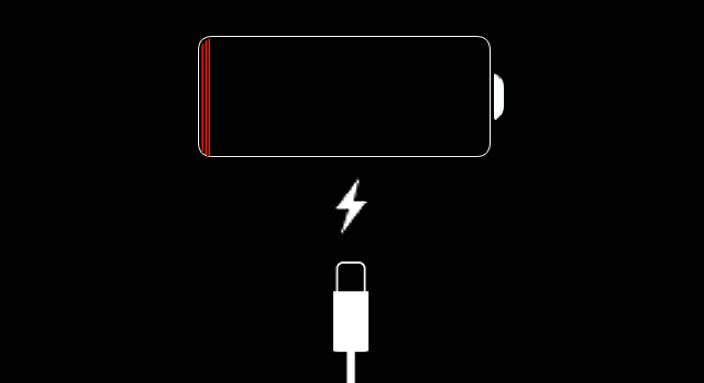
Charge Your Phone
There are more than just a few apps that require battery life to run optimally. If an app is acting unresponsive or is lagging, plug your phone in to give it a quick battery boost and see if that does the trick. The app should be up and running smoothly!
Automatic Background Processes
While it’s true that Apple goes the extra mile to ensure ease of usage for its users, over a period of time, these features may be why your iPhone is lagging. To disable this feature, head on over to Settings > iTunes & App Store > And then switch off Updates. Try to switch off apps refreshing in the background as well. To do this, simply head to Settings > General > And finally switch off the Background App Refresh features. Once you’ve done this, you’ll immediately see an improvement in your phone’s battery life as well.
Factory Reset your Phone
Finally, as last resort, perhaps the only thing your iPhone needs is a fresh start. Consider a factory reset using iTunes to give your iPhone that second chance at life it deserves. Connect your device to your PC or laptop with iTunes, where under the Summary tab, you’ll find the option to Restore your iPhone. On completion of this, restart your phone and proceed with setting up your iPhone.
While we sincerely hope that these tips helped with the issue of your iPhone lagging, if it hasn’t however, the staff at City Phones are especially trained advisors capable of handling all your iPhone repair Melbourne issues. Give us a call on 0426 504 955 and let our experts handle the rest for you!


Leave a Reply