
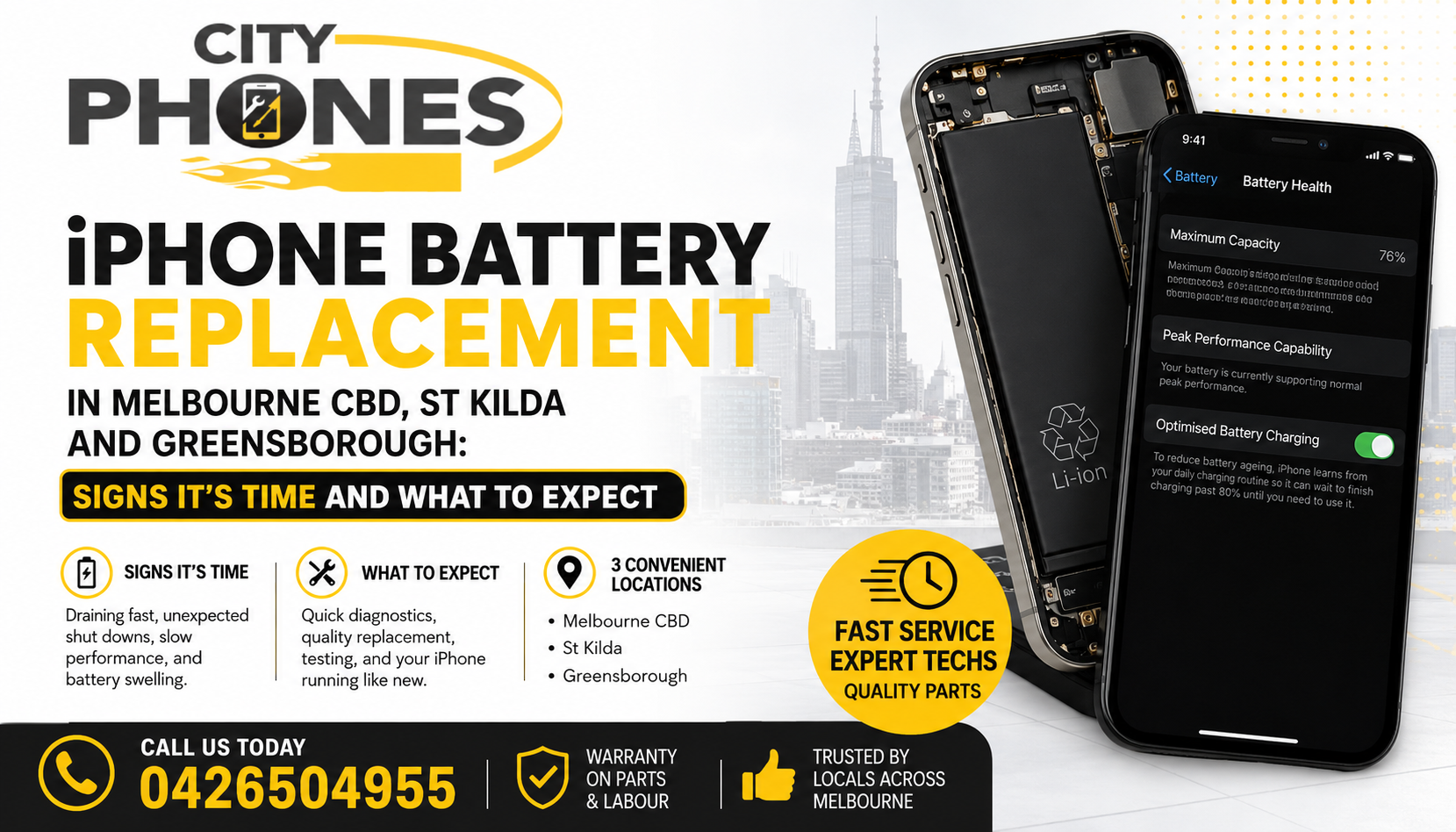
IPhone battery replacement in Melbourne CBD, St Kilda and Greensborough: signs it’s time and what to expect
Every IPhone battery wears out over time. Apple explains that all rechargeable batteries are consumables: as they age, their capacity and peak performance gradually decline until they need to be replaced. When that happens, you’ll notice faster battery drain, random shutdowns or sluggish performance even on otherwise good phones.
In this guide, we’ll look at the most common warning signs that your IPhone battery is “crying for help”, how to check its health in iOS, and what to expect from an IPhone battery replacement in Melbourne CBD, St Kilda and Greensborough with City Phones.
Why IPhone batteries wear out
IPhone batteries are lithium‑ion cells designed to retain up to about 80% of their original capacity after 500 full charge cycles under normal conditions. Heavy use, frequent fast charging, high temperatures and age can all accelerate wear.
Apple notes that once maximum capacity drops far below 80%, the battery may no longer be able to deliver peak power, which can lead to performance throttling or unexpected shutdowns. At that point, replacing the battery is usually the best way to restore reliable day‑to‑day use.
Sign 1: Rapid battery drain
One of the first signs of a failing battery is a noticeable decrease in how long your IPhone lasts between charges. If you used to comfortably get through a full day but now find yourself:
- Dropping from, say, 80% to 20% much faster than before
- Needing to charge two or three times a day with the same usage
- Seeing big percentage drops when doing simple tasks
…your battery is likely losing capacity and can no longer hold as much charge as it once did.
Sign 2: Unexpected shutdowns
A classic warning sign is when the IPhone suddenly powers off even though the battery indicator shows 20–30% remaining. This typically means the battery cannot supply the necessary peak power when the processor demands it, so iOS shuts the phone down to protect the hardware.
If this happens more than once, especially during normal usage rather than extreme cold or heavy gaming, it’s a strong hint that the battery can no longer cope and needs service.
Sign 3: Slow performance and lag
To prevent unexpected shutdowns, Apple uses performance management on devices with significantly degraded batteries. That can make the phone feel:
- Slow to open apps
- Laggy when scrolling and switching between screens
- Generally “choppy” in animations and everyday use
If your IPhone is a reasonably recent model but behaves like it’s several generations old, it may be throttled due to poor battery health rather than outdated hardware.
Sign 4: Battery health below 80% (or service message)
You can confirm your battery’s condition directly in iOS:
- Go to Settings → Battery → Battery Health & Charging.
- Check Maximum Capacity and any message shown below it.
Apple and independent guides note that when maximum capacity falls to around 80% or lower, it’s generally time for an IPhone battery replacement. Apple may also show a “Service” or “Battery health degraded” message, indicating that the battery can no longer support normal peak performance.
Sign 5: Overheating or physical swelling
All phones get warm sometimes, but consistent, abnormal heat – especially while doing light tasks or charging – can indicate a failing battery. In more serious cases, the battery can swell, pushing the screen or back cover outward.
Guides warn that a bulging battery is a safety risk and should be addressed immediately; you should stop using or charging the device and have it inspected by a professional technician. Do not attempt to puncture or press it back into place.
When DIY optimisation isn’t enough
Before booking a replacement, it’s worth checking for software‑related drain:
- Update iOS and apps to the latest versions.
- Review Settings → Battery for any apps using an unusually high percentage and adjust their background activity.
- Reduce screen brightness, disable unnecessary background refresh and limit location services.
Apple’s own battery‑life tips can help you squeeze more from a healthy battery. But if you still see rapid drain, shutdowns, low maximum capacity or swelling after reasonable optimisation, the underlying issue is almost certainly hardware and that’s when a replacement makes sense.
Why professional IPhone battery replacement is safer
Apple emphasises that lithium‑ion batteries are sensitive components and should be serviced with care. Poor‑quality parts or incorrect installation can lead to overheating, damage or even safety hazards.
Apple recommends having batteries replaced by trained technicians who use genuine IPhone batteries or verified high‑quality parts, whether that’s at Apple, an Authorised Service Provider, or an independent repair provider. For most customers, this route is safer and more reliable than DIY
How City Phones handles IPhone battery replacement in Melbourne CBD, St Kilda and Greensborough
City Phones is an independent repair provider that specialises in IPhone and smartphone repairs, including high‑quality battery replacements. With stores in Melbourne CBD, St Kilda and Greensborough, they offer convenient options no matter which part of Melbourne you’re in.
A typical IPhone battery replacement at City Phones looks like this:
-
Quick assessment
Technicians check your IPhone’s battery health in iOS, ask about your symptoms (drain, shutdowns, heat) and inspect the device for swelling or other damage.
-
Clear quote upfront
You get a price and estimated repair time before any work begins usually with same‑day turnaround for most common IPhone models.
-
Battery replacement by a trained technician
The old battery is carefully removed, the new battery installed and secured, and internal connections checked. This is particularly important on newer waterproof models where seals must be handled correctly.
Testing and handover
The phone is fully tested charging, basic usage, performance and any warnings in Battery Health before being returned to you, typically backed by a repair warranty on parts and labour.
IPhone battery replacement in Melbourne CBD vs St Kilda vs Greensborough
From a technical perspective, the repair process is the same at every store the difference is simply convenience for you:
- Melbourne CBD: Ideal if you work or study in the city and want to drop your phone off during a break.
- St Kilda: Handy for bayside and inner‑south suburbs needing quick IPhone battery replacement closer to home.
- Greensborough: Great for the north‑east, with easy access via Greensborough Plaza and surrounding suburbs.
All locations follow the same quality standards and warranty policy, so you can choose whichever is easiest to reach.
Final thoughts
If your IPhone is draining quickly, shutting down unexpectedly, running noticeably slower or showing a battery health below around 80%, it’s telling you the battery is nearing the end of its life. Replacing the battery is usually far cheaper than buying a new phone and can make a good IPhone feel fresh again.
By understanding the key warning signs and your options for IPhone battery replacement in Melbourne CBD, St Kilda and Greensborough, you can plan the repair on your terms instead of waiting for a complete failure and an unwelcome emergency.







Leave a Reply